

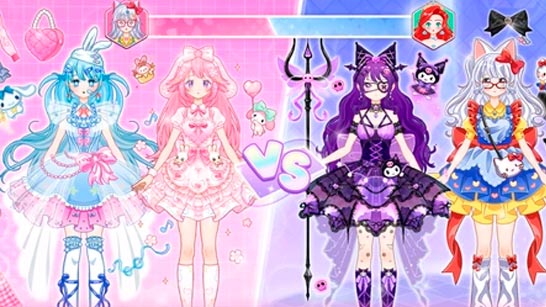
Play Avatar World Beauty Salon Online for Free
Avatar World Beauty Salon is a browser-based salon simulation game where you manage a busy beauty shop, serve customers, wash hair, cut styles, and earn cash from each completed makeover. The game focuses on quick salon service, hair styling, shop upgrades, and smooth time-management gameplay without requiring any downloads.
About Avatar World Beauty Salon
Avatar World Beauty Salon combines elements of Simulation Games, salon management, and makeover gameplay. Instead of only customizing one character, the game places you inside an active beauty salon where customers arrive with specific styling needs. Your job is to guide them through the salon process, starting from the shampoo station and moving toward cutting, styling, and payment collection.
The game is also suitable for players who enjoy Dress Up Games, makeup, dress-up, and beauty-themed games, but its main focus is salon service and customer flow. Each completed haircut helps you earn money, improve your tools, unlock new hairstyles, and expand your shop with more stations.
How to Play Avatar World Beauty Salon
Start by welcoming customers into the salon. Move each customer to the wash station first, then shampoo their hair before sending them to the styling chair. Once they are ready, use the scissors and salon tools to cut and shape the hair according to the requested style. After finishing the look, confirm the service, collect payment, and prepare for the next customer.
As you progress, the salon becomes busier. More customers may arrive, and you will need to manage the queue efficiently. Use the cash you earn to buy upgrades, speed up your tools, unlock new hairstyles, and increase your salon capacity. Good timing and fast service are important, especially when several customers are waiting at once.
Features
- Browser-based beauty salon simulation with no downloads required
- Hair washing, cutting, and styling gameplay
- Customer service flow from shampoo station to final payment
- Salon management mechanics with cash rewards and upgrades
- Unlockable hairstyles, faster tools, and bigger shop space
- Multi-station gameplay with increasing customer demand
- Colorful 3D-style visuals and smooth casual gameplay
- Suitable for fans of makeover, barber shop, and beauty salon games
Tips and Tricks
Focus on speed during the early stages. Washing, cutting, styling, and collecting payment quickly can help you earn more cash and reduce waiting time. Try not to spend too long on one customer when the salon is busy, because queue management is often more important than perfect styling.
Use your earnings wisely. Upgrading tools can make each service faster, while unlocking more stations can help you handle more customers at the same time. If the game becomes chaotic, prioritize customers who are already close to finishing their service before starting new ones.
Game Strategy
The best strategy in Avatar World Beauty Salon is to build a smooth customer flow. Start with the shampoo station, move customers quickly to the chair, complete the haircut, then collect payment immediately. Avoid leaving finished customers waiting, because that can slow down the whole salon.
Upgrades are important for long-term progress. Faster tools reduce service time, new hairstyles make the salon more varied, and extra stations allow you to serve more customers. The more efficient your shop becomes, the easier it is to handle busy moments and earn higher rewards.
Troubleshooting
If Avatar World Beauty Salon does not load correctly, refresh the page and check your internet connection. Since the game runs directly in the browser, a stable connection is recommended. If the controls feel slow or unresponsive, close heavy browser tabs, update your browser, or try another modern browser.
For the best experience, play on a device with enough performance to handle browser-based 3D games smoothly. If the game freezes, clearing your browser cache may also help.
Game Details
- Game name: Avatar World Beauty Salon
- Category: Simulation Games
- Related category: Dress Up Games
- Tags: makeup, dress-up
- Developer: Bravestars
- Release date: April 23, 2026
- Playable in browser with an internet connection
Controls
- Mouse: Select salon tools and interact with customers
- Click and drag: Cut hair and apply styling actions
- Left click: Confirm actions, move customers, and collect payments
FAQ
Is Avatar World Beauty Salon free to play?
Yes, Avatar World Beauty Salon is free to play directly in your browser. No payment or download is required.
Do I need to download Avatar World Beauty Salon?
No. The game runs online in the browser, so you can start playing without installing anything.
What type of game is Avatar World Beauty Salon?
Avatar World Beauty Salon is a salon simulation and makeover game focused on hair washing, cutting, styling, customer service, and shop upgrades.
How do I play Avatar World Beauty Salon?
Serve customers by moving them through the salon process. Wash their hair, cut and style it, complete the requested look, then collect payment and continue with the next customer.
Can I upgrade the salon?
Yes. You can use earned cash to buy faster tools, unlock new hairstyles, expand your shop, and improve the salon workflow.
Is Avatar World Beauty Salon similar to dress-up games?
Yes, it shares some beauty and makeover elements with dress-up games, but its main gameplay is based on salon management and customer service.
Can I play Avatar World Beauty Salon on mobile?
The game is browser-based and may work on mobile devices if the browser supports it properly. For smoother control, desktop play may offer a better experience.
Who will enjoy Avatar World Beauty Salon?
The game is suitable for players who enjoy salon games, makeover games, barber shop games, simulation games, and casual time-management gameplay.
Why should I upgrade tools in Avatar World Beauty Salon?
Tool upgrades help you complete services faster, reduce waiting time, and serve more customers. This makes it easier to earn more cash and expand the salon.
What should I do if the game is not working?
Refresh the page, check your internet connection, close unused tabs, clear your browser cache, or try playing through another updated browser.
Comments
No comments yet. Be the first to comment.